Desktop Guide
AI Clip Detection
Generate transcript-based clip suggestions with duration, score, diversity, sorting, and time-range controls.
What This Feature Does
AI Clip Detection uses transcript segments to identify hooks, questions, emotional/value terms, quote-friendly moments, duration fit, and duplicate/diversity signals.
Why Users Need It
Users need it to find strong candidate clips without manually watching the entire source first.
Where To Find It
Clip Editor -> Suggest Clips.
Before You Start
- Working Video selected
- Local media ready
- Transcript ready or fresh transcription selected
Step-by-Step Guide
- Choose transcript mode.
- Select model/language for fresh transcript if needed.
- Set From/To time range.
- Select duration targets.
- Set max clips.
- Set minimum score.
- Choose diversity mode.
- Choose sort order.
- Generate suggestions.
- Review reasons before editing.
Screenshot Section
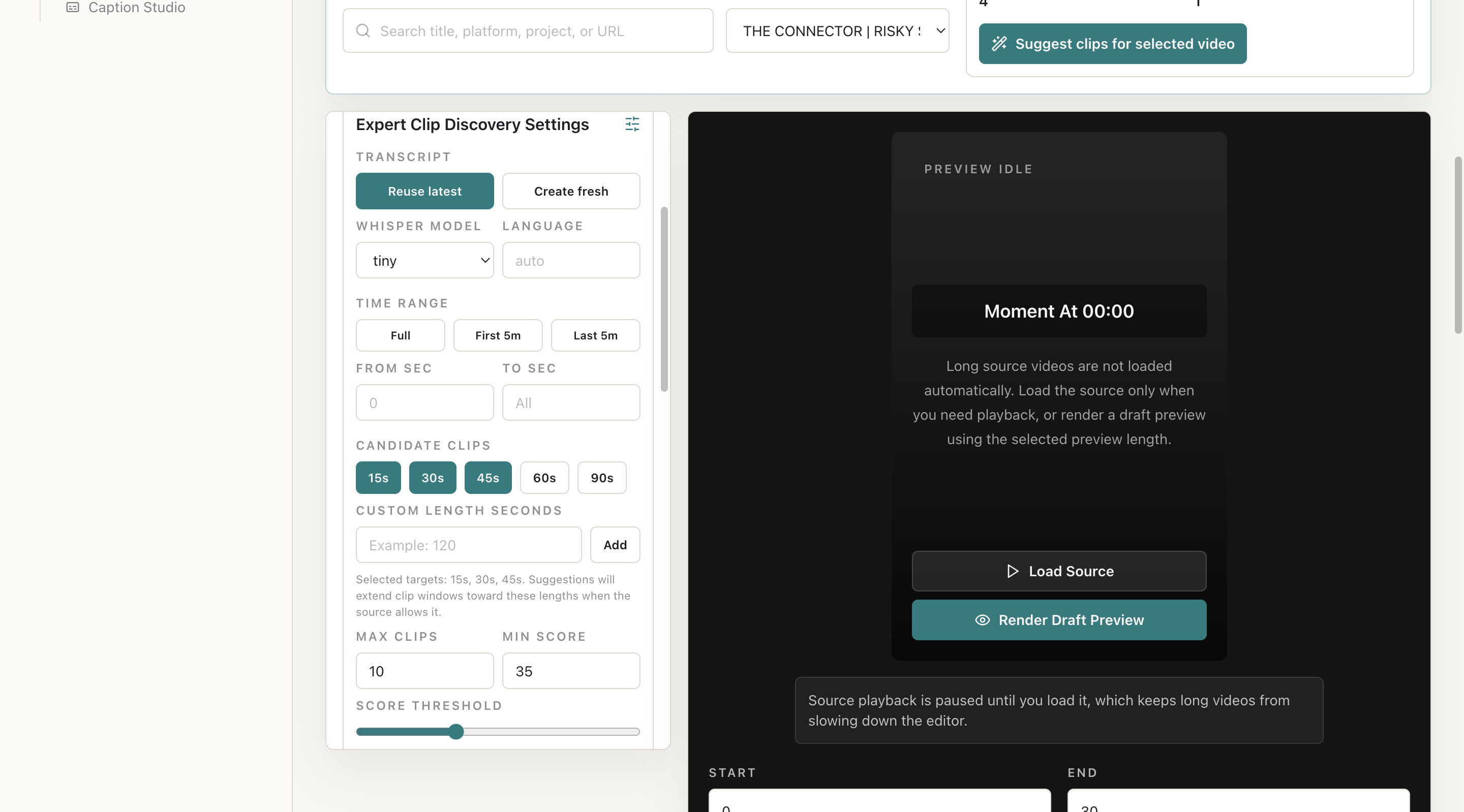
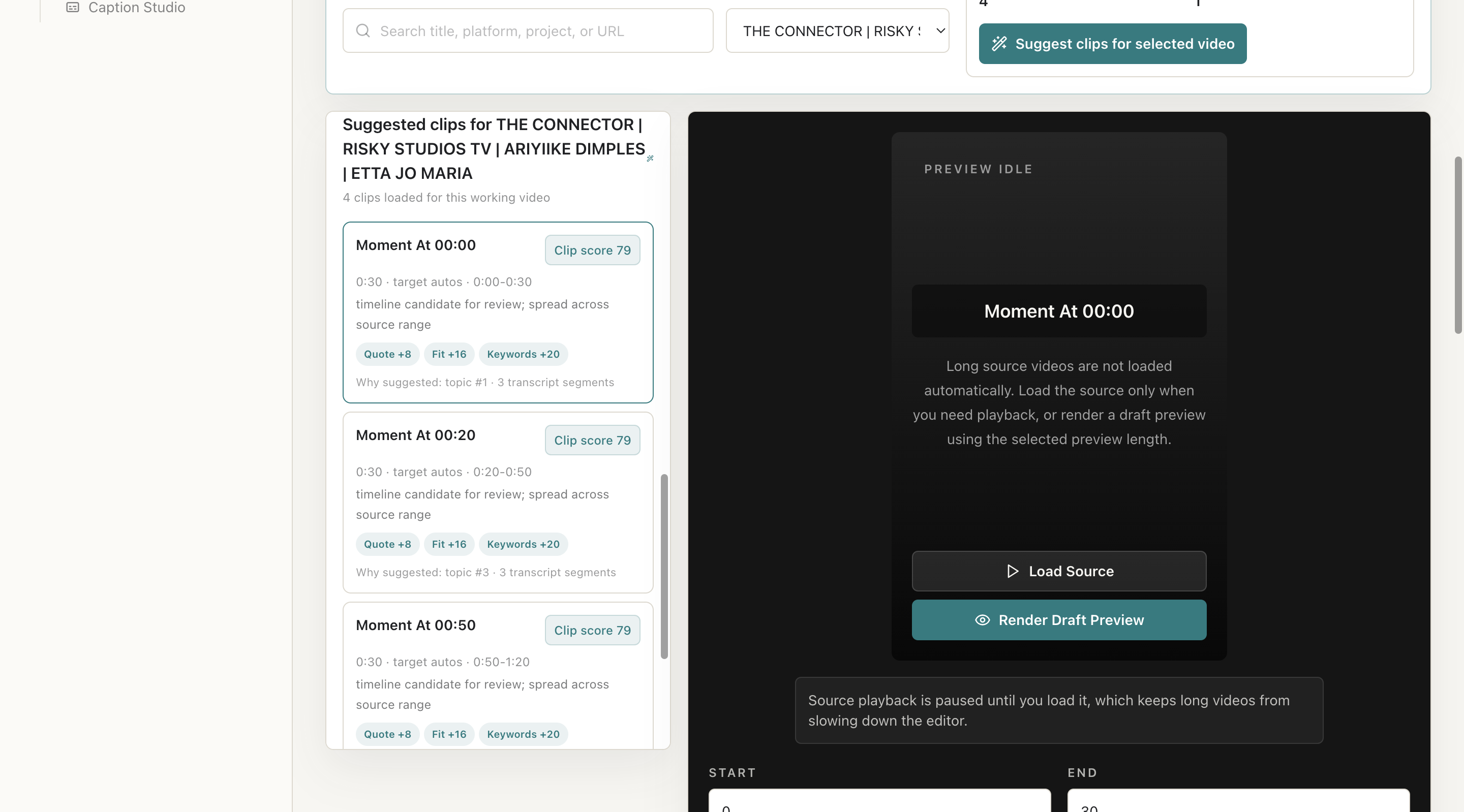
What To Check On The Screen
- Time range is valid
- Duration target matches platform
- Minimum score is not too restrictive
Expected Result
Users receive candidate clips with score, timing, duration, and reason metadata.
Common Mistakes
- Setting score too high
- Expecting AI to replace human review
Troubleshooting
If suggestions are poor, regenerate transcript, widen range, lower score, or select longer duration targets.