
Desktop Guide
Client Workspace
Manage client records, assigned projects, brand kits, approvals, notes, filtering, and export history.
What This Feature Does
Client Workspace tracks clients, contact details, project assignment, brand kits, approval statuses, clip notes/comments, search/filtering, and export history.
Why Users Need It
Agencies need it to keep client work organized and reviewable.
Where To Find It
Workspace -> Clients.
Before You Start
- Client naming rules
- Sample projects and brand kits
Step-by-Step Guide
- Create client.
- Add contact details and notes.
- Assign projects.
- Assign brand kits.
- Track approval statuses.
- Add clip notes/comments.
- Filter/search client work.
- Review export history.
Screenshot Section
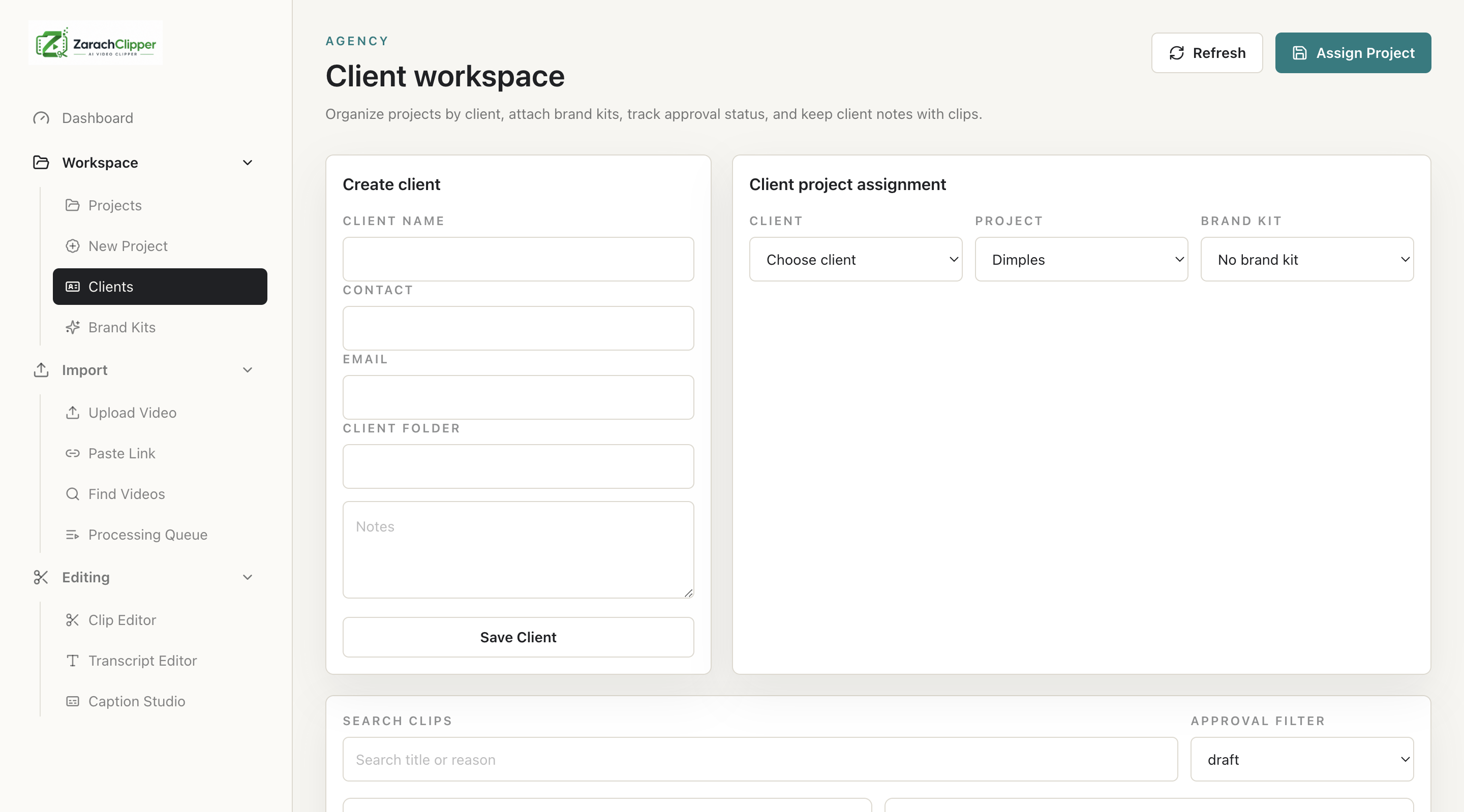
What To Check On The Screen
- Client data is correct
- Projects assigned correctly
- Private details hidden in screenshots
Expected Result
Agency teams can track client-specific production and approvals.
Common Mistakes
- Mixing clients in one project
- Marking approved before review
Troubleshooting
If clips are missing, check project assignment.